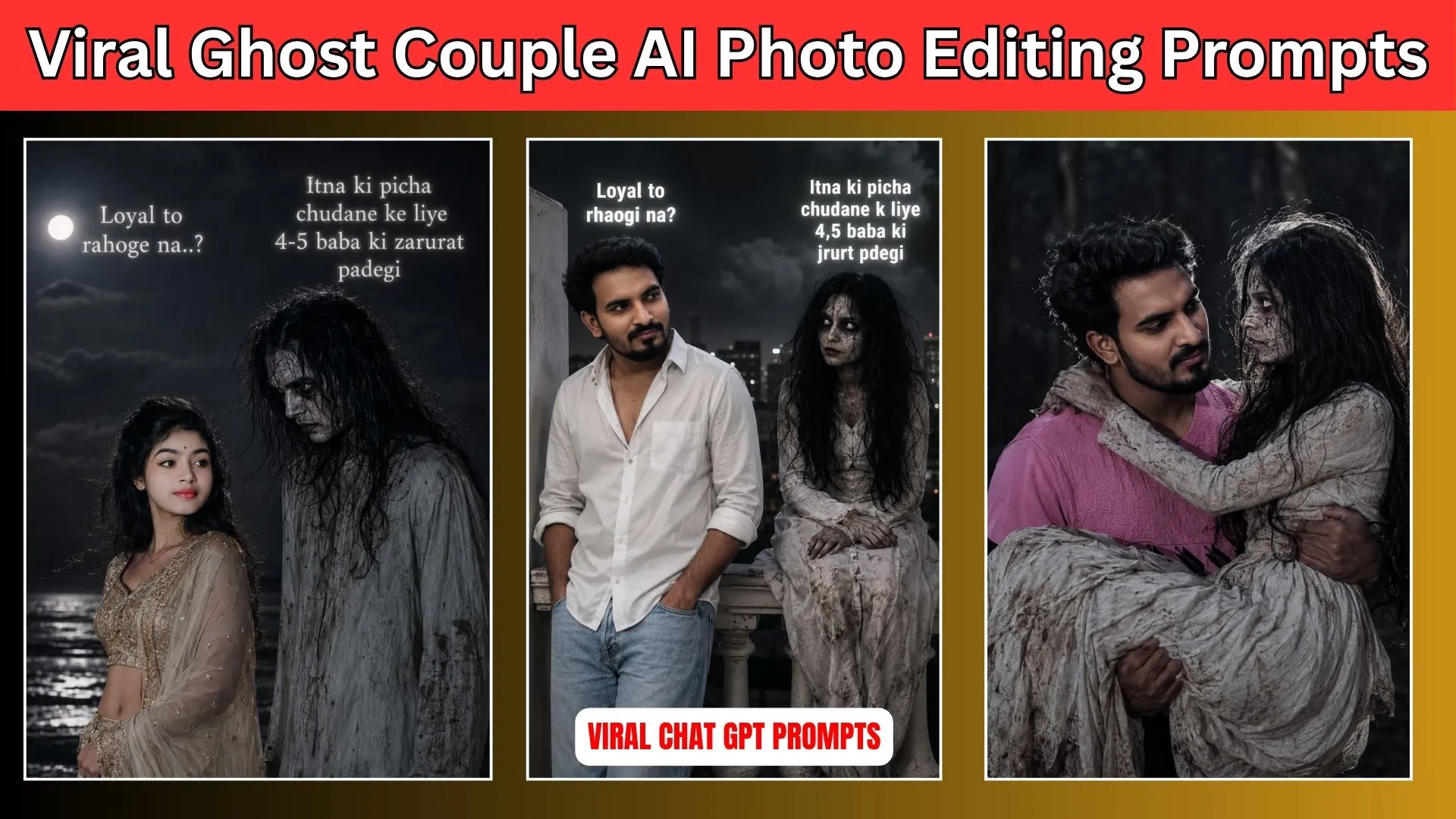
Ghost GF Couple AI Photo Editing Prompts : Friends, in today’s article, I am going to share some amazing Ghost GF Couple AI Photo Editing Prompts with you. These prompts are currently being used by many people to create viral Ghost Girlfriend AI photos. This trend has become extremely popular on social media because of its unique and emotional appearance.
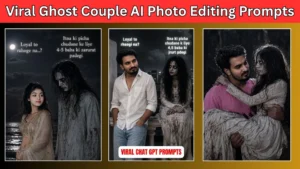
In this type of AI-generated photo, a boy is usually shown sitting alone while a ghost girl sits beside him. The boy looks at her with love and affection, creating a romantic atmosphere. A popular text, “Loyal Toh Rahogi Na?” is often written above the boy, while a funny reply such as “4-5 Baba Ki Jarurat Padegi” appears above the ghost girl’s image. This combination of romance, sadness, and humor makes the photo look very attractive and different from other AI editing trends.
Nowadays, many users are creating and sharing these photos online. The trend is especially becoming popular among single people, who are making these images go viral across various social media platforms. So, in this article, we will explain how you can create the same type of Ghost GF AI photo easily.
Also Read : Aesthetic Name DP AI Photo Editing Prompts | ChatGPT Prompts
Detail of Ghost GF Couple AI Photo
I know many of you may be wondering how these types of photos are created because they look completely different from normal AI-generated images. People who have not seen this trend before may not understand its concept. Let me explain it in a simple way.
Both boys and girls are creating this trending AI photo. However, single people are participating in this trend the most. For example, if a girl is single, she creates a photo where a ghost boyfriend stands or sits beside her. In that image, the girl is shown looking at him with love and emotion. Similarly, a caption like “Loyal Toh Rahoge Na?” is often added to make the image more expressive and relatable.
This trend reflects how many people jokingly feel that they have faced so much disappointment in relationships that even a ghost seems more trustworthy than real people. While the idea is funny, it also carries a slightly emotional message. That is one of the main reasons why so many users can connect with it.
People are creating these photos, posting them on their social media accounts, and receiving a lot of engagement from friends and followers. If you also want to generate this type of AI image, don’t worry. In the next steps, we will show you exactly how to create it. If you are a boy, we will provide a suitable prompt for you. If you are a girl, we will also share a separate prompt below. Along with that, we will explain each step in detail so that you can easily create your own Ghost GF Couple AI photo.
Also Read : Instagram Profile Followers Poster AI Photo Prompts | Social Media Profile Poster Prompts
Girl Ghost Photo Prompt
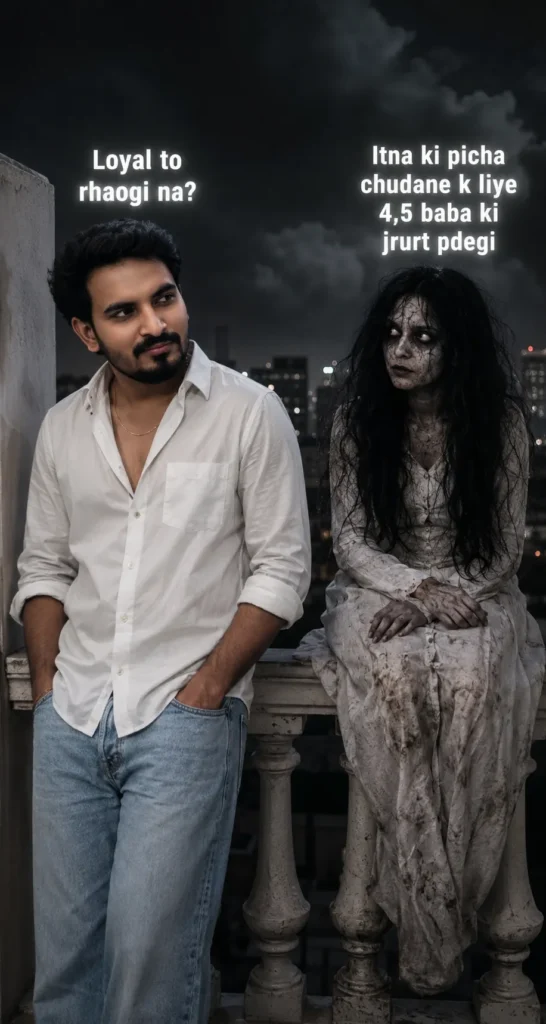
Ultra-realistic 8K vertical horror-romantic Instagram reel portrait. Use uploaded man face exactly same, no facial or skin changes. South Asian man on night balcony beside creepy ghost girl, leaning on white railing, one hand in jeans pocket, looking at her. Same white unbuttoned shirt, folded sleeves, light-blue loose jeans, thin gold chain only. Ghost girl sitting on railing in dirty faded white gown, cracked pale skin, hollow black eyes, messy black hair, horror vibe. Dark cinematic lighting, realistic shadows, ultra-detailed, sharp focus, film look. Add bold white viral reel-style Hindi text with soft glow: Boy side: “Loyal to rhaogi na?” Ghost side: “Itna ki picha chudane k liye 4,5 baba ki jrurt pdegi” Realistic text placement, cinematic typography.
Boy Ghost Photo Prompt
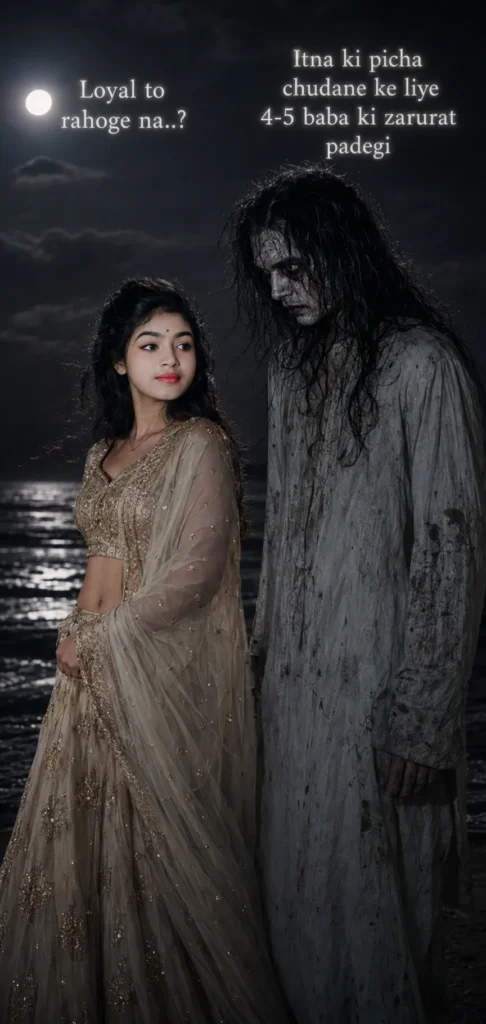
Use the uploaded girl face exactly as it is, no changes to facial features, skin tone, hairstyle, eyes, lips, expression, or proportions. Maintain realistic skin texture and identity consistency. A beautiful South Asian girl standing on a dark beach at night beside a very tall, eerie ghost-like man. The girl is slightly turned sideways, looking toward the ghost with a calm, emotional expression. The ghost appears mysterious and supernatural, with pale cracked skin, hollow dark eyes, messy wet hair, and wearing a dirty vintage white outfit. He should look haunting and cinematic but not violent or disturbing. Girl outfit: elegant traditional lehenga with subtle embroidery, flowing dupatta, soft fabric movement in wind, giving a graceful and aesthetic look. Background: dark ocean waves, night sky, cinematic horror atmosphere, dramatic flash lighting, soft glowing rim light, shallow depth of field, DSLR quality, moody color grading, ultra realistic, 8K, vertical Instagram reel. Add glowing white Hindi text: Above girl: “Loyal to rahoge na..?” Above ghost: “Itna ki picha chudane ke liye 4-5 baba ki zarurat padegi”
Viral Girl Ghost Photo Prompt
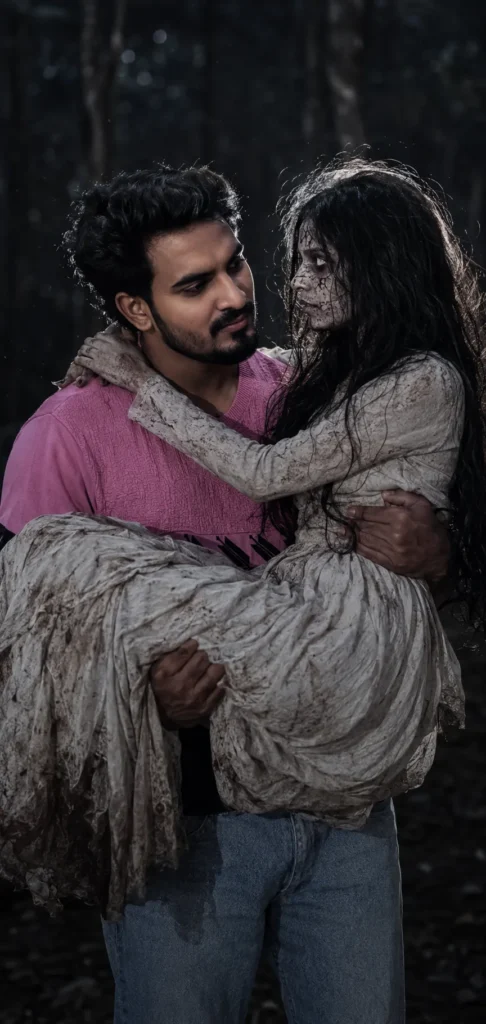
Ultra-realistic cinematic night portrait, exact same male face and appearance as reference — identical hairstyle, sunglasses, beard, outfit, pose, and body proportions, no face change. Man romantically holding a horror ghost girl in his arms, both deeply looking into each other’s eyes. Ghost girl with pale cracked skin, messy long black hair, dirty vintage white dress, subtle horror makeup. Dark eerie forest at night, dramatic flash photography, glowing white rim light around hair and shoulders, moody horror-romance vibe, DSLR quality, shallow depth of field, soft bokeh lights, ultra detailed skin texture, realistic shadows, high contrast, cinematic color grading, emotional dark fantasy atmosphere, 8K vertical portrait.
New Girl Ghost Photo Prompt
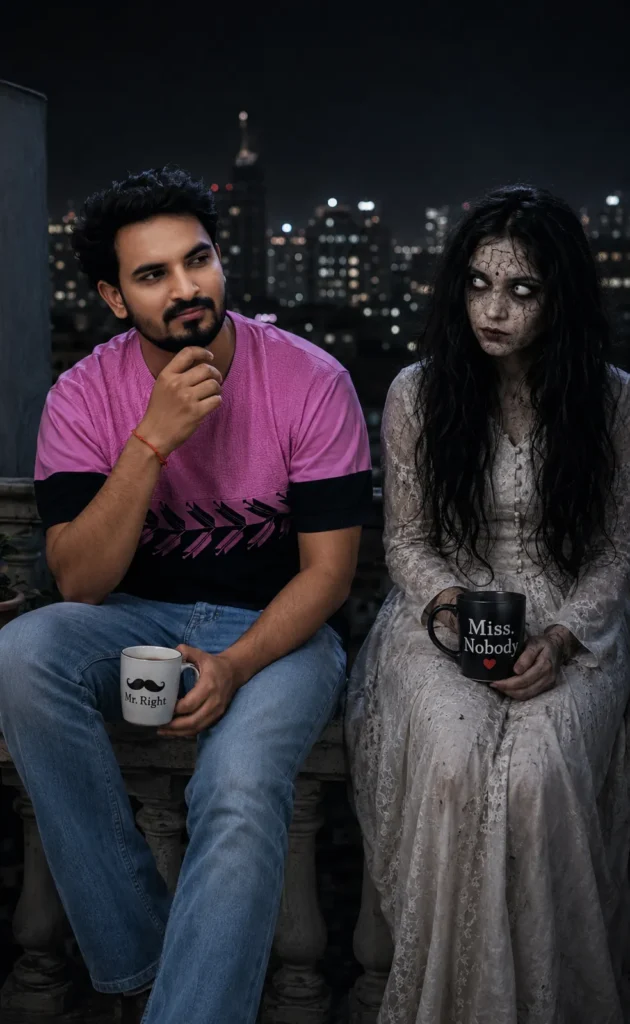
The uploaded man’s face exactly as in the reference photo without changing facial features at all. Create a high-quality cinematic horror-comedy scene inspired by the reference balcony image. The young Indian man is sitting casually beside a cute but spooky female ghost on a dark balcony at night with city lights blurred in the background.
Create Ghost Couple AI Photo
If you want to generate a Ghost Couple AI Photo like the ones shown above, the first thing you should do is carefully look at the sample images. Choose the photo style that you like the most. Once you have selected your favorite image, press and hold on the prompt provided below it, select the complete text, and copy it.
After copying the prompt, open ChatGPT on your device. You can either use the ChatGPT mobile application or access it through a web browser. Once ChatGPT is open, paste the copied prompt into the chat box. After that, click on the plus (+) icon and upload your own photo.
Make sure that the photo you upload is clear and your face is properly visible. If the image is blurry or low quality, the AI may face difficulties matching your facial features correctly. For the best results, always use a high-quality image with good lighting and a clearly visible face.
Once your photo has been uploaded, send the prompt and image to ChatGPT. Then wait for a few moments while the AI processes your request. After a short time, your Ghost Girlfriend Couple AI photo will be generated and displayed on your screen. You can then open the image and save it directly to your phone’s gallery. This is the easiest way to create the latest trending Ghost Couple AI photo.
How to Modify the Text in the Photo?
Most people creating these viral Ghost Couple AI photos use text such as “Loyal Toh Rahoge Na?” on one side and “4-5 Baba Ki Jarurat Padegi” on the ghost’s side. However, many creators are now adding their own custom dialogues to make their photos more unique and entertaining.
You may have also seen Instagram videos where the text changes continuously, creating a conversation effect between the person and the ghost character. Sometimes the text appears on the user’s side, while at other times it appears near the ghost, making it look like an actual discussion is taking place.
If you want to replace the default text with your own words, the process is very simple. After pasting the prompt into ChatGPT, look for the section where the existing text is written. Remove that text and replace it with whatever dialogue, quote, or message you would like to display in the image.
You can customize both the human character’s text and the ghost character’s text according to your preference. Once you have finished editing the prompt, generate the image again and your personalized Ghost Couple AI photo will be created with the new text.
If your goal is to create a video instead of a photo, use a version of the prompt that does not contain any text. First generate the image, then import it into your favorite video editing application. From there, you can add animated text, create conversation effects, and customize everything according to your creative ideas. This method allows you to create engaging short videos that can perform well on platforms like Instagram Reels and TikTok.
Conclusion – Ghost GF Couple AI Photo Editing Prompts
Friends, I have shared all the important information you need to create this trending Ghost Couple AI photo. I have explained why this trend is becoming so popular, how the photos are generated, and how you can customize them according to your own style.
I hope you can now easily create your own viral Ghost Girlfriend Couple AI photo using the Ghost GF Couple AI Photo Editing Prompts provided above. If you found this guide helpful and understood everything clearly, feel free to share your feedback in the comments.
If you have any questions, face any difficulties, or need help with any step of the process, you can let us know through the comment section. And if there is any other trending AI photo style that you would like to learn about, feel free to tell us. We will try to cover that trend and explain the complete process in an upcoming article.






Mahi
Hello friends! My name is Mahi and I am the Founder & Writer of Studynumberone.Net. I write content related to Ai, Technology, Make Money, and Education. Hope you like my Articles!
Instagram Profile Followers Poster AI Photo Prompts | Social Media Profile Poster Prompts
Instagram Profile Followers Poster AI Photo Prompts : Nowadays, you must have noticed Instagram Followers Milestone posters appearing…
Read MoreAesthetic Name DP AI Photo Editing Prompts | ChatGPT Prompts
Aesthetic Name DP AI Photo Editing Prompts – Nowadays, many people are using ChatGPT and AI tools to…
Read MoreHow to Make Money with AI No Experience 2026: The Complete Beginner’s Guide to Turning Free Tools into Real Income Streams
How to Make Money with AI No Experience : Hey there. If you’re reading this right now in…
Read MoreHow to Deploy Low-Power AI Models on Edge IoT Devices ?
How to Deploy Low-Power AI Models on Edge IoT Devices : In our increasingly connected world, IoT devices…
Read More