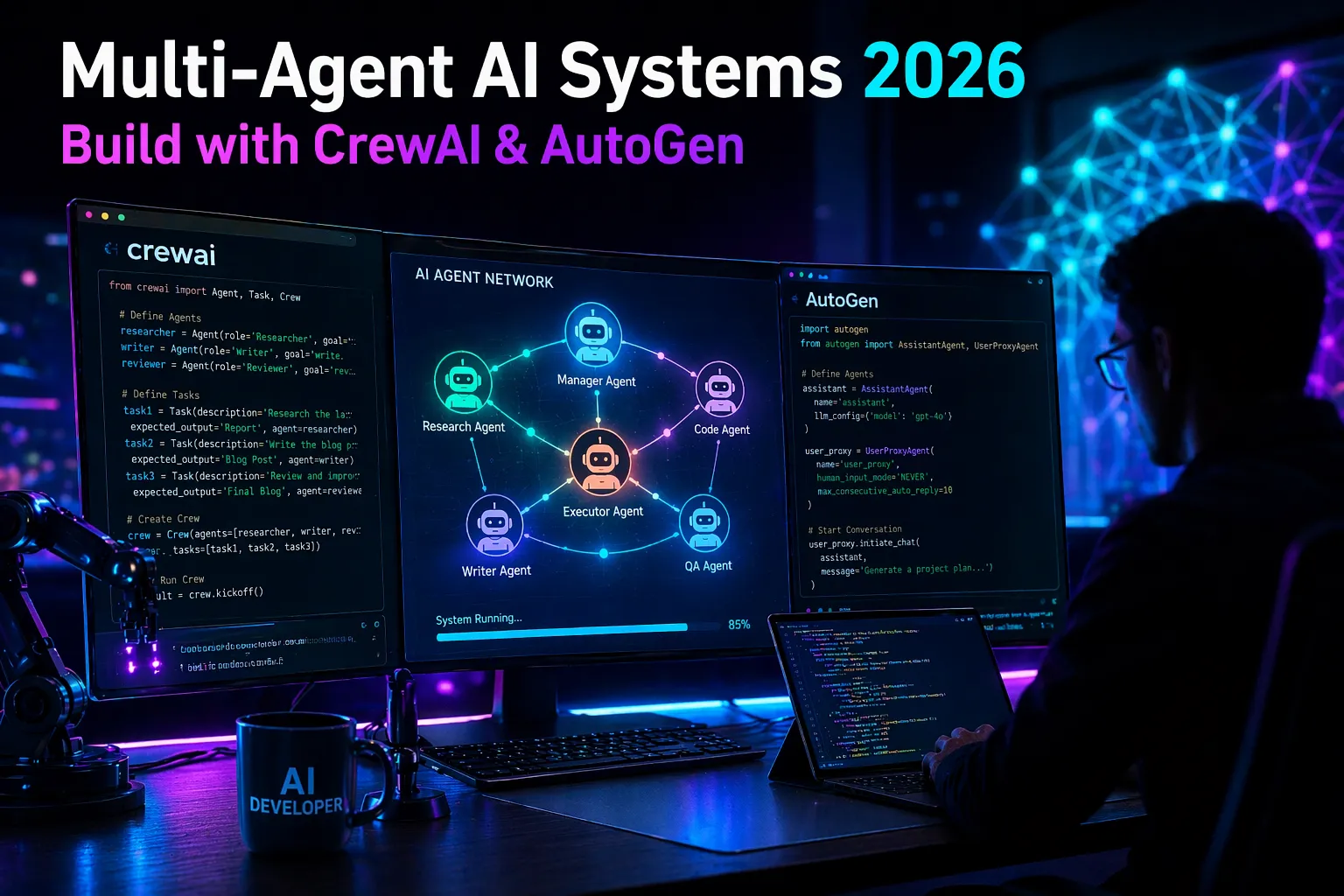
how to build multi-agent AI systems : If you’re a developer, AI engineer, or tech founder in the US looking to stay ahead in 2026, you’ve probably felt it: single LLM calls are no longer enough for complex, real-world problems. You need AI that can think, collaborate, delegate, and execute like a human team. That’s exactly what multi-agent AI systems deliver.
In this practical, no-fluff guide, I’ll walk you through building production-ready multi-agent systems from scratch using two of the best open-source tools available today: CrewAI (perfect for role-based teams) and AutoGen (Microsoft’s powerhouse for conversational collaboration).
By the end, you’ll have:
- A clear understanding of what multi-agent systems are and why they matter in 2026.
- Working code for both frameworks.
- A real comparison to help you choose the right tool.
- Actionable tips so you can deploy your first system this week.
No hype. Just clear, copy-paste-ready steps that actually work. Let’s dive in.
Also Read : How to Convert 4G SIM to 5G SIM: Complete Step-by-Step Guide (2026)
What Are Multi-Agent AI Systems (and Why Are They Exploding in 2026)?
A multi-agent AI system is a team of specialized AI agents that work together toward a shared goal. Each agent has its own role, tools, memory, and reasoning ability — just like a human team at a startup or enterprise.
Think of it this way:
- One agent researches the latest market data.
- Another analyzes it.
- A third writes a professional report.
- A fourth reviews it for accuracy and compliance.
Single agents (like a basic ChatGPT wrapper) get stuck on complex tasks. Multi-agent systems break problems into steps, debate solutions, self-correct, and deliver higher-quality results with less human supervision.
Why now?
In 2026, US companies are moving from experiments to production. Startups in Silicon Valley and New York are using multi-agent systems for customer support automation, financial analysis, content pipelines, and even legal research. Open-source tools have matured dramatically, costs have dropped, and models like GPT-4o, Claude 3.5, and Grok are powerful enough to make collaboration reliable.
Search interest in “multi-agent AI” and “AI agent teams” has skyrocketed, but detailed, up-to-date tutorials remain surprisingly scarce — which is exactly why this guide exists.
Key Benefits for US Developers and Businesses
- Scalability: Handle complex workflows without writing thousands of lines of glue code.
- Cost efficiency: Agents only call expensive models when needed.
- Reliability: Built-in error handling, memory, and human-in-the-loop options.
- Observability: Trace every decision (critical for compliance in regulated industries like finance and healthcare).
- Speed to market: Go from idea to working prototype in hours instead of weeks.
Real-world US examples I’ve seen in 2026:
- A fintech startup in Austin automates quarterly investor reports.
- An e-commerce brand in Chicago uses agents to monitor competitors and adjust pricing.
- A law firm in Boston runs legal research crews that cite recent case law.
Now let’s build one.
Prerequisites (Same for Both Frameworks)
- Python 3.10–3.13 installed.
- An OpenAI API key (or Anthropic, Groq, etc. — both tools support multiple providers).
- Basic familiarity with Python classes and environment variables.
- (Optional but recommended) UV package manager for faster installs.
Set your API key:
export OPENAI_API_KEY=sk-your-key-here
For web search tools (used in examples), get a free Serper.dev API key.
How to Build Multi-Agent AI Systems Using Open Source Tools

Option 1: Building with CrewAI (Best for Role-Based Teams)
CrewAI is the go-to choice in 2026 for developers who want structured, role-playing agent teams. It feels like assigning jobs in a real company.
Latest approach (2026): Use the new Flows architecture for state management and production readiness. It’s cleaner than the old “Crew + Tasks” style.
Step-by-Step: Create Your First Research Crew
1. Install CrewAI
pip install crewai
uv pip install 'crewai[tools]'   # for extra tools
2. Scaffold a new Flow project (recommended way)
crewai create flow research-flow
cd research-flow
3. Configure agents and tasks (YAML makes it beginner-friendly)
Edit src/research-flow/crews/research_crew/config/agents.yaml:
researcher:
  role: "{topic} Senior Researcher"
  goal: Uncover the latest 2026 developments in {topic}
  backstory: You are an expert analyst who always finds credible, up-to-date sources.
Edit src/research-flow/crews/research_crew/config/tasks.yaml:
research_task:
  description: Conduct deep research on {topic}. Use web search. Current year is 2026.
  expected_output: A detailed markdown report (800-1200 words) with trends, companies, and implications.
  agent: researcher
  output_file: output/report.md
4. Wire it together in Python
src/research-flow/crews/research_crew/research_crew.py:
from crewai import Agent, Crew, Process, Task
from crewai.project import CrewBase, agent, crew, task
from crewai_tools import SerperDevTool
from typing import List

@CrewBase
class ResearchCrew:
    agents_config = "config/agents.yaml"
    tasks_config = "config/tasks.yaml"

    @agent
    def researcher(self) -> Agent:
        return Agent(
            config=self.agents_config["researcher"],
            tools=[SerperDevTool()],
            verbose=True
        )

    @task
    def research_task(self) -> Task:
        return Task(config=self.tasks_config["research_task"])

    @crew
    def crew(self) -> Crew:
        return Crew(
            agents=self.agents,
            tasks=self.tasks,
            process=Process.sequential,
            verbose=True
        )
5. Add the Flow logic (src/research-flow/main.py):
from pydantic import BaseModel
from crewai.flow import Flow, listen, start
from research_flow.crews.research_crew.research_crew import ResearchCrew

class ResearchState(BaseModel):
    topic: str = "AI Agents 2026"
    report: str = ""

class ResearchFlow(Flow[ResearchState]):
    @start()
    def set_topic(self):
        print(f"Starting research on: {self.state.topic}")

    @listen(set_topic)
    def run_research(self):
        result = ResearchCrew().crew().kickoff(inputs={"topic": self.state.topic})
        self.state.report = result.raw
        print("✅ Research complete!")

def kickoff():
    ResearchFlow().kickoff()

if __name__ == "__main__":
    kickoff()
6. Run it
crewai install
crewai run
You’ll get a professional markdown report in output/report.md. Total time? Under 10 minutes once set up.
Pro tip for US users: Add human_input=True on tasks for compliance reviews, or deploy directly to CrewAI AMP (their enterprise platform) with one command: crewai deploy.
Option 2: Building with AutoGen (Best for Conversational Collaboration)
AutoGen (from Microsoft) shines when agents need to talk to each other naturally, debate, and self-correct through conversation. It’s more flexible but requires a bit more code.
Step-by-Step: Simple Two-Agent Research Team
1. Install
pip install autogen-agentchat~=0.2
2. Basic multi-agent script (autogen_research.py):
import os
from autogen import AssistantAgent, UserProxyAgent

llm_config = {
    "config_list": [{"model": "gpt-4o", "api_key": os.environ.get("OPENAI_API_KEY")}]
}

# Researcher agent
researcher = AssistantAgent(
    name="researcher",
    llm_config=llm_config,
    system_message="You are a senior researcher. Always use tools to get fresh 2026 data."
)

# Critic / Writer agent
writer = AssistantAgent(
    name="writer",
    llm_config=llm_config,
    system_message="You turn research into clear, professional reports."
)

# User proxy (orchestrates)
user_proxy = UserProxyAgent(
    name="user_proxy",
    human_input_mode="NEVER",
    code_execution_config=False,
    llm_config=llm_config
)

# Start the conversation
user_proxy.initiate_chat(
    researcher,
    message="Research the current state of multi-agent AI systems in 2026 and summarize key trends.",
    max_turns=8  # Let them talk back and forth
)

# You can add a second chat to the writer agent to refine the output
AutoGen’s strength is the conversational loop. Agents can call tools, ask each other for clarification, and iterate automatically.
For more advanced setups (group chat, RAG, human feedback), check the official docs — the pattern scales beautifully.
CrewAI vs AutoGen in 2026: Which Should You Use?
| Feature | CrewAI | AutoGen | Winner for Most US Devs |
|---|---|---|---|
| Ease of setup | Extremely easy (YAML + CLI) | Slightly more code | CrewAI |
| Role-based teams | Built-in & intuitive | Possible but manual | CrewAI |
| Conversational depth | Good | Excellent (native chatting) | AutoGen |
| State management | Flows (excellent) | Manual or extensions | CrewAI |
| Production deployment | CrewAI AMP + one-click | Requires more infra | CrewAI |
| Learning curve | Very gentle | Medium | CrewAI |
| Best for | Content, research, operations | Research, complex reasoning | Depends on use case |
My recommendation for most people in 2026: Start with CrewAI. It gets you a working, production-ready system fastest. Switch to AutoGen when you need deep back-and-forth debates between agents.
Real Practical Project You Can Build Today
Combine both ideas and build a “Competitor Intelligence Crew”:
- Researcher agent scrapes news and pricing.
- Analyst agent compares features and market positioning.
- Writer agent produces a weekly PDF report.
- Reviewer agent checks for hallucinations.
This exact system is saving US SaaS companies 20+ hours per week right now.
Best Practices & Common Pitfalls (Learned the Hard Way)
- Always add memory — CrewAI has built-in short/long-term memory; use it.
- Start small — One agent + one task first, then expand.
- Monitor costs — Use cheaper models (Groq, Claude Haiku) for simple agents.
- Add guardrails — Especially if outputs touch customers or legal areas.
- Test locally first — Then deploy to CrewAI AMP or your own AWS/GCP instance.
- Pitfall to avoid: Over-complicating with too many agents too soon. Three agents is usually the sweet spot.
The Future of Multi-Agent AI (What’s Coming Next)
By late 2026, expect native support for:
- Better human-in-the-loop workflows.
- Automatic API generation from your crews.
- Cross-framework interoperability.
- Enterprise observability dashboards.
The developers who master these tools now will lead the next wave of AI products.
Ready to Build Your First Multi-Agent System?
You now have everything you need — working code, clear explanations, and real 2026 context.
Next step: Open your terminal and run that first crewai create flow command. In under 30 minutes you’ll have a live multi-agent system running.
Drop your first result in the comments or reply here — I’d love to see what you build (research crew? customer support team? trading analyst?).









Mahi
Hello friends! My name is Mahi and I am the Founder & Writer of Studynumberone.Net. I write content related to Ai, Technology, Make Money, and Education. Hope you like my Articles!
How to Deploy Low-Power AI Models on Edge IoT Devices ?
How to Deploy Low-Power AI Models on Edge IoT Devices : In our increasingly connected world, IoT devices…
Read MoreBrain-Computer Interface (BCI) Everyday Use Cases: Practical Neuralink Alternatives for Real Life in 2026
Brain-Computer Interface : Hey folks, let me paint a picture for you. Picture sitting on your couch after…
Read MoreBest Open-Source AI-Native Development Platforms in 2026: How They Fully Automate Software Development with AI
Open-Source AI-Native Development Platforms: Hey there, if you’re a developer, startup founder, or engineering leader in the US…
Read MoreHow to Integrate AI Agents with Existing CRM and ERP Systems: A Practical Guide to Unlocking Agentic AI’s Real-World Power
How to Integrate AI Agents : If you run a business in the United States today—whether it’s a…
Read More